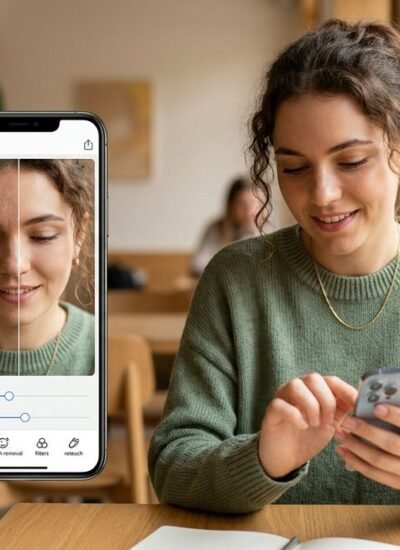
Facetune charges roughly $70 per year for its full suite of retouching tools. That price stings when all you need is a quick blemish fix or a subtle teeth-whitening pass before posting a selfie. The good news: plenty of free alternatives now match — and sometimes surpass — Facetune’s core feature set.
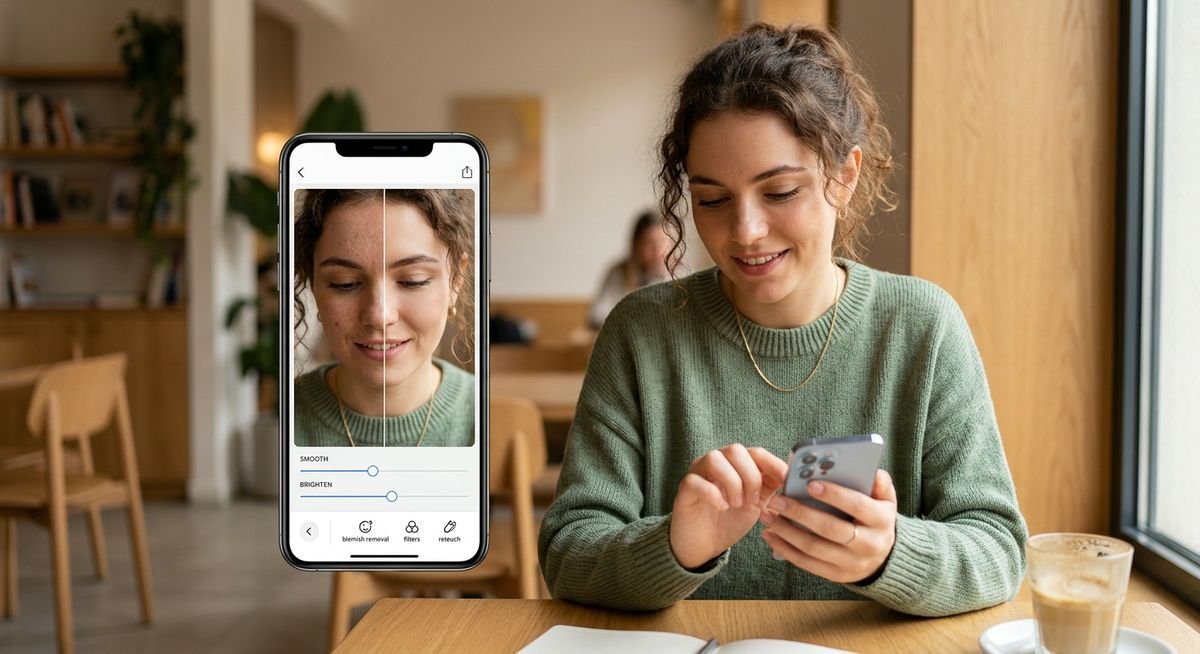
Smartphone screens displaying before-and-after portrait edits with free Facetune alternative apps
The tricky part is separating genuinely free apps from ones that slap a watermark on your export or lock their best filters behind a paywall the moment you try to save. Most roundups skip that detail entirely.
Below are 13 free apps like Facetune for iOS and Android, with a side-by-side comparison table showing exactly what each free tier actually unlocks. Casual selfie editors, beauty content creators, and anyone retouching professional headshots will find a clear match without downloading half a dozen apps to test.
Free Facetune Alternatives at a Glance
Thirteen apps can replace Facetune’s core retouching features — skin smoothing, teeth whitening, body reshaping, and AI-powered enhancements — without a paid subscription. The table below maps every app against the features that matter most and flags what the free tier actually includes.
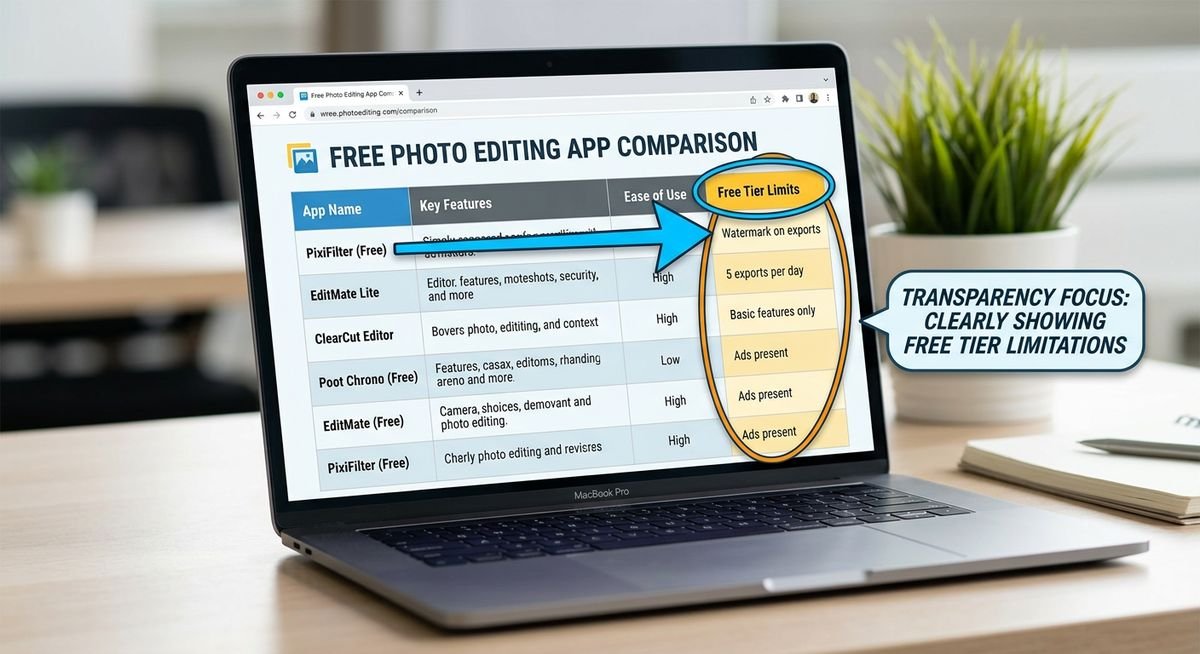
How to Read This Table
Each feature column uses three indicators: a check mark means fully available on the free tier, a lock icon means paid only, and a warning icon means free but limited (watermarked, capped, or restricted). The Free Tier Limits column spells out exactly what you lose without paying — the single most useful detail when choosing between these apps.
The Comparison Table
| App | Skin Smooth | Teeth Whiten | Body Reshape | AI Tools | Platforms | Free Tier Limits | Skill Level |
|---|---|---|---|---|---|---|---|
| Snapseed | ✓ | ✓ | ⚠ | ⚠ | iOS, Android | Fully free — no paywall, no watermark, no subscription | Beginner |
| AirBrush | ✓ | ✓ | ⚠ | ⚠ | iOS, Android | Watermark on exports; AI filters capped; HD export locked | Beginner |
| YouCam Makeup | ✓ | ✓ | ⚠ | ✓ | iOS, Android | HD export and advanced AR filters require premium | Beginner |
| Meitu | ✓ | ✓ | ✓ | ✓ | iOS, Android | Some premium AI styles locked; occasional ads | Beginner |
| RetouchMe | ✓ | ✓ | ✓ | 🔒 | iOS, Android | Free credits limited; additional edits cost per photo | Beginner |
| BeautyPlus | ✓ | ✓ | ✓ | ✓ | iOS, Android | Some exports watermarked; premium filter packs locked | Beginner |
| Lightroom Mobile | ✓ | ⚠ | 🔒 | ✓ | iOS, Android, Web | Masking and healing require premium; RAW editing free | Advanced |
| VSCO | ⚠ | 🔒 | 🔒 | 🔒 | iOS, Android | Only ~10 free presets; 200+ presets require membership | Intermediate |
| FaceApp | ✓ | ✓ | ⚠ | ✓ | iOS, Android | Aggressive upsell prompts; some AI filters locked; ads | Beginner |
| Pixlr | ✓ | ⚠ | ⚠ | ✓ | iOS, Android, Web | Free tier solid; advanced AI tools and ad-free require premium | Intermediate |
| Perfect365 | ✓ | ✓ | 🔒 | ⚠ | iOS, Android | Premium makeup looks and HD export locked | Beginner |
| Remini | ✓ | ⚠ | 🔒 | ✓ | iOS, Android | Watch ads to unlock free enhances; daily limit applies | Beginner |
| PhotoDirector | ✓ | ✓ | ⚠ | ✓ | iOS, Android | Ads present; some premium AI effects locked | Intermediate |
The 13 Best Free Apps Like Facetune (Reviewed)
Every app below has a genuinely usable free tier. But “free” means something different for each one — some are completely unlimited, others watermark exports or gate their best AI tools behind a subscription. Each review spells out exactly what you get without paying.
1. Snapseed
Best for: Beginners who want zero paywalls | Platforms: iOS, Android
Snapseed is the rare photo editor that charges nothing — period. Google acquired the app in 2012 and has kept it completely free since, with no subscription tier, no watermarks, and no upsell prompts. The non-destructive healing brush removes blemishes without permanently altering your original file, and the Portrait tool handles skin smoothing, eye brightening, and face contouring with surprising precision.
Where Snapseed falls short compared to Facetune: there is no dedicated body reshaping tool or teeth whitening slider. You can approximate both using selective adjustments, but it takes more manual work. For pure skin retouching on a zero-dollar budget, nothing beats it.
Free tier: Everything. All tools, all filters, full-resolution export.
Paywalled: Nothing.
2. AirBrush
Best for: Quick Instagram selfies | Platforms: iOS, Android
AirBrush targets the exact same audience as Facetune — selfie-first users who want smooth skin and bright eyes in under a minute. The free tier delivers solid blemish removal, skin smoothing, and teeth whitening. The catch: exports carry a visible watermark unless you subscribe, and the more impressive AI filters are paywalled.
Despite the watermark, AirBrush’s free skin retouching is among the fastest and most natural-looking on mobile. If watermark-free export matters to you, Snapseed or BeautyPlus are better picks.
Free tier: Core skin retouching, blemish removal, basic teeth whitening, standard filters.
Paywalled: Watermark-free export, AI filters, HD resolution output.
3. YouCam Makeup
Best for: Beauty content creators | Platforms: iOS, Android
YouCam Makeup’s real-time AR makeup try-on sets it apart from every other app on this list. You can test lipstick shades, eyeshadow palettes, and foundation coverage live through your camera before committing to an edit. The app is developed by Perfect Corp, a company specializing in AR beauty technology used by brands like Estee Lauder and L’Oreal.
The free tier is generous for day-to-day retouching. Premium primarily adds HD export quality, advanced skin analysis, and expanded AR filters rather than locking core functionality. A strong choice if virtual makeup previews matter to your workflow.
Free tier: AR makeup try-on, skin retouching, blemish removal, standard-resolution export.
Paywalled: HD export, premium filter packs, advanced skin tone analysis.
4. Meitu
Best for: AI beautification and anime-style portraits | Platforms: iOS, Android
Meitu’s one-tap AI beautification applies full skin smoothing, facial reshaping, and portrait effects instantly. The anime and cartoon portrait modes have a dedicated following on TikTok and Instagram. The free tier covers most core editing features, including body reshaping tools that many competitors lock behind a paywall.
One consideration: Meitu is developed by the Chinese company Meitu Inc. and has faced scrutiny over data collection practices. The app requests broad permissions on installation. Users concerned about biometric data privacy should review the app’s permission requests carefully before downloading. (See the privacy section below.)
Free tier: AI beautification, anime portrait mode, skin smoothing, body reshaping.
Paywalled: Certain premium AI styles, ad-free experience.
5. RetouchMe
Best for: Professional results without editing skills | Platforms: iOS, Android
RetouchMe works differently from every other app here. Instead of applying automated filters, it sends your photo to human retouchers who manually edit your image and return it within minutes. The results are often more natural than any AI tool can produce. New users get a limited number of free credits to try the service.
The trade-off is clear: you sacrifice instant results for human-quality editing, and once free credits run out, each edit costs a small per-photo fee. Best for people who want professional retouching for a specific occasion rather than daily selfie editing.
Free tier: Limited free credits for initial edits.
Paywalled: Additional edits charged per photo (typically $0.99-$1.99 each).
6. BeautyPlus
Best for: All-in-one selfie editing | Platforms: iOS, Android
BeautyPlus combines skin retouching, body editing, and creative filters in a single app with a surprisingly generous free tier. The Auto Retouch feature applies skin smoothing, blemish removal, and subtle face slimming in one tap. The built-in camera also applies beauty effects in real time while shooting.
Some exports include a small BeautyPlus watermark on the free tier, and premium filter packs require a subscription. But for day-to-day use, the free version covers more ground than most paid alternatives. The app has over 300 million downloads globally, according to its developer Pixocial Technology.
Free tier: Auto retouch, skin smoothing, body editing, blemish removal, real-time camera effects.
Paywalled: Watermark removal on select exports, premium filter packs.
7. Lightroom Mobile (Free)
Best for: Advanced users editing headshots and portraits | Platforms: iOS, Android, Web
Adobe Lightroom Mobile’s free tier is more powerful than most people realize. You get professional-grade color correction, exposure controls, and selective adjustment tools that let you target specific areas of a portrait — brighten under-eye circles, warm skin tones, or sharpen just the eyes. RAW file editing is included free.
The premium features (selective masking, healing brush, cloud storage) require an Adobe Creative Cloud subscription. Lightroom is not a one-tap selfie editor — it rewards users who understand white balance, curves, and color grading. If you shoot portraits professionally or want to learn real photo editing, this is the free app to start with.
Free tier: RAW editing, color correction, selective adjustments, presets, full-resolution export.
Paywalled: Masking, healing brush, cloud storage, premium presets.
8. VSCO
Best for: Natural, editorial-style color grading | Platforms: iOS, Android
VSCO is not a retouching app in the traditional sense — it does not offer skin smoothing sliders or body reshaping tools. Its strength is color grading: the film-inspired presets give portraits a warm, natural aesthetic that looks polished without looking edited. About 10 presets are available free; the full library of 200+ requires a VSCO membership.
Pair VSCO with Snapseed for a powerful free workflow: retouch in Snapseed first, then color grade in VSCO. The combination covers retouching and aesthetic styling without spending a dollar.
Free tier: ~10 presets, basic editing tools, standard export.
Paywalled: 200+ presets, video editing, advanced tools, VSCO community features.
9. FaceApp
Best for: Playful AI transformations | Platforms: iOS, Android
FaceApp gained viral fame for its age-progression and gender-swap filters, but its core retouching tools are genuinely useful. Skin smoothing, teeth whitening, and under-eye correction are all available on the free tier. The AI-driven smile filter can subtly adjust a neutral expression into a natural-looking grin — a feature unique to FaceApp.
Two caveats. First, the upsell prompts are aggressive — nearly every third action triggers a subscription nudge. Second, FaceApp processes photos on its servers rather than locally on your device, which has raised privacy concerns. The app is developed by the Russia-based company Wireless Lab. (See the privacy section.)
Free tier: Skin smoothing, teeth whitening, smile filter, basic AI effects, blemish removal.
Paywalled: Premium AI filters, ad-free experience, full filter library.
10. Pixlr
Best for: Users who also edit on desktop | Platforms: iOS, Android, Web
Pixlr straddles the line between casual mobile editor and serious creative tool. The mobile app includes healing, smoothing, and basic liquify tools for portrait retouching. The web version (pixlr.com) adds layers, masks, and more advanced editing that rivals desktop software — all free.
The cross-platform flexibility is Pixlr’s biggest advantage. Start an edit on your phone during a commute, finish it in a browser at your desk. The free tier is solid for most retouching tasks; premium removes ads and unlocks additional AI-powered tools.
Free tier: Healing, smoothing, filters, effects, web-based layer editing.
Paywalled: Ad-free experience, premium AI tools, expanded template library.
11. Perfect365
Best for: Virtual makeup application | Platforms: iOS, Android
Perfect365 focuses narrowly on virtual makeup — lipstick, eyeshadow, blush, contouring, and eyeliner — with a user interface designed around one-tap makeup looks. The free tier includes blemish removal, basic skin smoothing, and a selection of preset makeup styles. The app has partnered with brands like CoverGirl for official product looks.
Body reshaping is not available at all, and advanced makeup customization requires premium. But for users whose primary need is virtual makeup try-on combined with light skin retouching, Perfect365 fills that niche well.
Free tier: Blemish removal, skin smoothing, preset makeup looks, basic face contouring.
Paywalled: HD export, premium makeup packs, advanced customization.
12. Remini
Best for: Enhancing blurry or low-resolution portraits | Platforms: iOS, Android
Remini’s AI upscaling technology transforms blurry, pixelated, or low-light photos into sharp, detailed images. It is not a traditional retouching app — rather, it excels at rescuing photos that other editors cannot improve. The enhancement also subtly smooths skin and sharpens facial features as part of the upscaling process.
The free tier operates on an ad-supported model: watch a short video ad to unlock each enhancement. A daily limit applies. For occasional use — restoring old photos, sharpening a low-light selfie — the free tier is sufficient. Heavy users will hit the daily cap quickly.
Free tier: AI photo enhancement (ad-supported), daily free enhances.
Paywalled: Unlimited enhances, ad-free experience, batch processing.
13. PhotoDirector
Best for: All-around editing with creative AI effects | Platforms: iOS, Android
PhotoDirector by CyberLink packs over 400 filters and a suite of AI-powered tools — sky replacement, object removal, background blur, and portrait retouching — into a free app. Skin smoothing, teeth whitening, and face reshaping are all accessible without a subscription. The AI tools are more advanced than most free competitors.
Ads are present in the free version, and some premium AI effects (like animated overlays) require a subscription. The learning curve sits between casual selfie apps and professional editors like Lightroom, making it a strong middle-ground option.
Free tier: 400+ filters, skin smoothing, teeth whitening, face reshaping, AI sky replacement, object removal.
Paywalled: Ad-free experience, premium animated effects, advanced AI styles.
Privacy Considerations for Face-Editing Apps
Face-editing apps process biometric data — your facial geometry, skin texture, and sometimes body measurements. That data is valuable, and not every app handles it responsibly. Two apps on this list warrant specific attention.
FaceApp uploads your photos to cloud servers for processing rather than editing locally on your device. The company (Wireless Lab, based in Russia) states that photos are deleted within 48 hours of processing, but the server-side approach means your images leave your phone during editing. In 2019, U.S. Senator Chuck Schumer requested an FBI investigation into FaceApp’s data practices.
Meitu has faced similar scrutiny. Security researchers found the app collecting device identifiers and transmitting data to servers in China. Meitu Inc. has since updated its privacy policy, but the app still requests broad device permissions on installation.
General advice: review app permissions before installing, avoid granting access to your full photo library if a single-photo option exists, and consider whether an app that processes photos locally (like Snapseed) is preferable to one that uploads them to a server.
Frequently Asked Questions
What app is completely free and similar to Facetune?
Snapseed is the closest equivalent to a fully free Facetune alternative. It offers non-destructive skin retouching, blemish removal, portrait enhancements, and dozens of additional editing tools — all without a subscription, watermark, or in-app purchase requirement. Google has maintained it as a completely free product since acquiring it in 2012.
Which free app has the best teeth whitening tool?
AirBrush and YouCam Makeup both offer dedicated teeth whitening sliders on their free tiers. AirBrush provides a slightly more natural result with finer control over whitening intensity. YouCam Makeup adds AR preview so you can see the whitening effect in real time before saving.
Can I reshape my body in photos without paying?
Meitu and BeautyPlus both include body reshaping tools on their free tiers — waist slimming, leg lengthening, and general body contouring. RetouchMe also offers body editing through human retouchers, though free credits are limited. FaceApp provides some body-related AI adjustments on the free tier but with restrictions.
Do these apps work on both iPhone and Android?
All 13 apps listed are available on both iOS and Android. Lightroom Mobile and Pixlr also offer web-based versions, making them accessible on desktop computers without installing additional software.
Are free face-editing apps safe to use?
Most free face-editing apps are safe for standard use, but they vary in how they handle your data. Apps like Snapseed process photos entirely on your device — your images never leave your phone. Others, like FaceApp, upload photos to cloud servers for AI processing. Check each app’s permissions on installation and read the privacy policy if biometric data security matters to you.
Which free Facetune alternatives export without a watermark?
Snapseed, Lightroom Mobile (free tier), VSCO, FaceApp, Pixlr, Remini, and PhotoDirector all export without watermarks on their free tiers. AirBrush and BeautyPlus add watermarks to some free exports — removing them requires a subscription.
What is the best free Facetune alternative overall?
For most users, Snapseed is the best overall free alternative — it is completely free with no limitations. For selfie-focused editing with one-tap beautification, BeautyPlus or Meitu come closest to replicating Facetune’s specific workflow. For professional portrait work, Lightroom Mobile offers the most powerful free editing tools.
Choosing the Right Free Alternative
The strongest free Facetune replacement depends entirely on what you actually use Facetune for. Skin smoothing and blemish removal? Snapseed handles it at zero cost. Virtual makeup and AR try-on? YouCam Makeup. Full body reshaping without a paywall? Meitu or BeautyPlus. Professional color work? Lightroom Mobile.
Start with the comparison table above, filter by the features that matter to your workflow, and check the Free Tier Limits column before downloading. One of these 13 apps will do exactly what you need — without the $70 annual subscription.



Leave a Reply